---
title: How to Build a Low or Nil-Cost Finance Software Stack for Your Small Business
description: Build a zero-cost finance stack for your small business in Australia. Free tools for bookkeeping, invoicing and payroll, plus how to forecast cashflow.
image: https://www.finmarksolutions.com.au/hubfs/Finance%20stack.png
---
[Skip to content](https://www.finmarksolutions.com.au/blog/how-to-build-a-low-or-nil-cost-finance-software-stack-for-your-small-business#main-content)
[Homepage](https://www.finmarksolutions.com.au/)
- [Home](https://www.finmarksolutions.com.au)
- [Software Recommendations](https://www.finmarksolutions.com.au/finmark-business-software-directory)
- [How-To Guides](https://www.finmarksolutions.com.au/how-to-guides)
- [Tools](https://www.finmarksolutions.com.au/tools)
- [Blog](https://www.finmarksolutions.com.au/blog)
- [About](https://www.finmarksolutions.com.au/author-bio)
- [Home](https://www.finmarksolutions.com.au)
- [Software Recommendations](https://www.finmarksolutions.com.au/finmark-business-software-directory)
- [How-To Guides](https://www.finmarksolutions.com.au/how-to-guides)
- [Tools](https://www.finmarksolutions.com.au/tools)
- [Blog](https://www.finmarksolutions.com.au/blog)
- [About](https://www.finmarksolutions.com.au/author-bio)
> *What I wish I'd known when starting — so you don't have to figure it out the hard way. 13+ years of business systems, digital marketing, and strategy for project & service businesses, shared.*
# How to Build a Low or Nil-Cost Finance Software Stack for Your Small Business

Finmark Solutions
May 25, 2026
If you're a small business owner who's been putting off sorting your finance software because it feels expensive and complicated — this post is for you.
The truth is, you can run a pretty solid finance operation on close to zero dollars a month. And if you're willing to spend a small amount, you can get something genuinely powerful. The trick is knowing which tools actually matter, which ones are nice-to-haves, and where free tiers hold up versus where they'll slow you down.
This guide covers the core stack layer by layer — and ends with an advanced section on cashflow forecasting for those who want to go further.
---
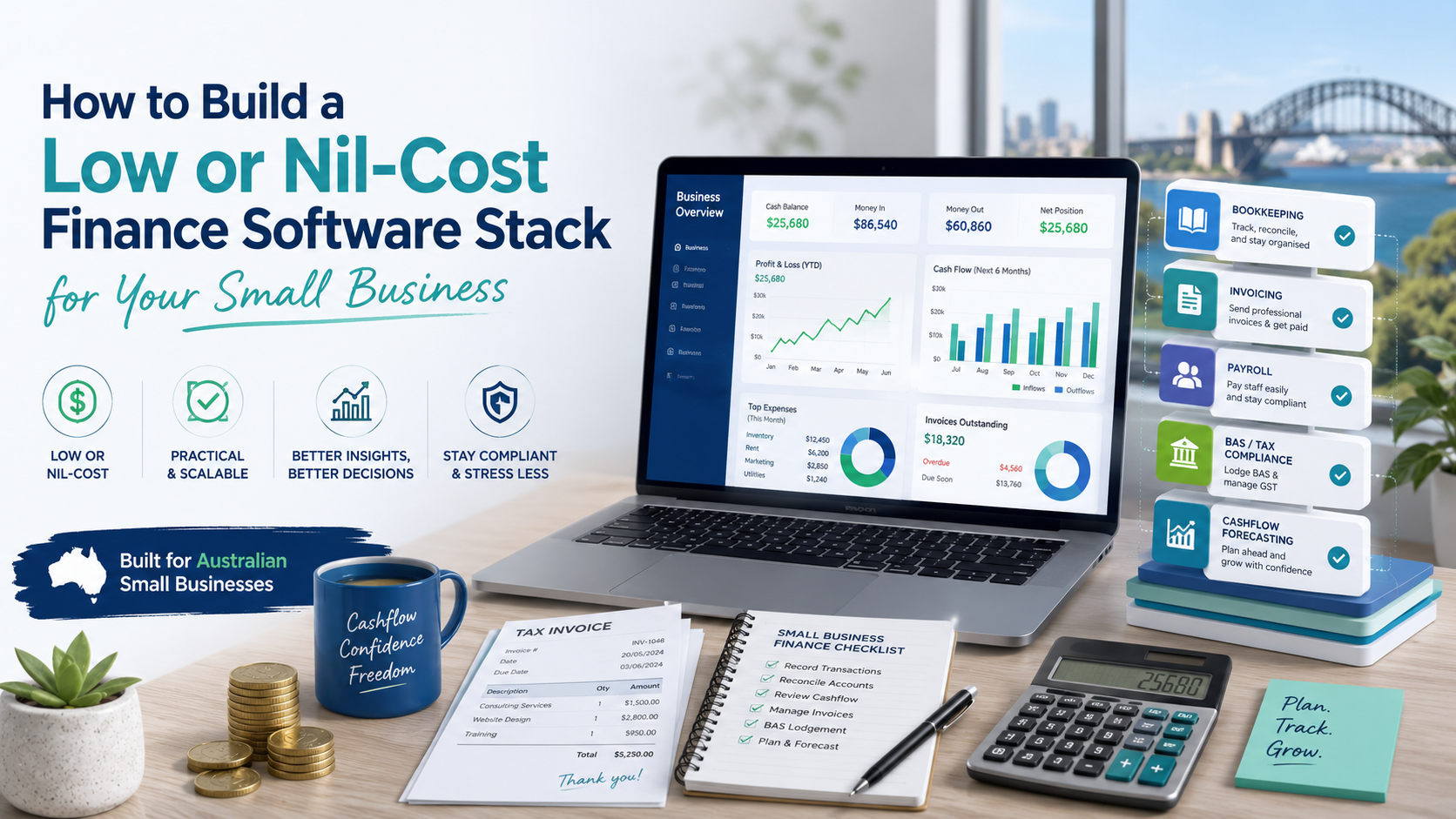
**What "Finance Software" Actually Covers**
Before picking tools, it helps to separate out the jobs you're actually trying to do:
- **Bookkeeping** — recording income and expenses, bank reconciliation
- **Invoicing** — creating and sending invoices, tracking who's paid
- **Expense tracking** — capturing receipts and categorising spending
- **Payroll** — paying staff and super, STP lodgement
- **BAS and tax reporting** — GST summaries, ATO compliance
- **Cashflow forecasting** — projecting your bank balance forward in time
Not every small business needs all of these on day one. A sole trader with simple income might get by on a spreadsheet and a free invoicing tool for years. A business with employees, GST obligations, and multiple income streams needs more structure.
Work out which jobs matter for your stage, then build the stack around that.
---
**The Three Best Free Accounting Options**
These are the tools that cover core bookkeeping and invoicing with a genuinely free tier — no credit card required, no arbitrary 30-day cutoff.
---
**1. Zoho Books Free Plan — Best overall free option for Australian small businesses**
[Zoho Books](https://www.zoho.com/au/books/) is the standout free accounting platform for Australian businesses that qualify. The free plan is available for businesses with annual revenue under **AUD $50,000** and includes:
- Double-entry bookkeeping
- Bank reconciliation
- Invoicing (up to 1,000 invoices per year)
- Expense tracking
- GST tracking and BAS support
- Online payment acceptance
- One user plus one accountant access
- Mobile app
That's a full accounting function at zero cost, not a stripped-back trial. The $50k revenue cap is the primary constraint — once you're over that threshold, you'll need to move to a paid plan (Standard starts at around AUD $22/month billed annually).
**Why it beats Wave for Australian users**: Zoho Books has better local compliance support. GST setup and BAS reporting are handled more cleanly, and the platform is actively maintained and developed. Wave has historically been built for the US/Canadian market.
**Limitation**: The free plan caps you at one user. If you need a bookkeeper and yourself both in the system simultaneously, you're looking at the paid tier.
**Best for**: Sole traders, freelancers, and early-stage businesses turning over under $50k looking for proper double-entry accounting at no cost.
---
**2. Wave Accounting Starter — Free with caveats worth knowing about**
[Wave](https://www.waveapps.com/) has long been the default recommendation for free accounting software, and the Starter plan remains free. But it's worth being clear-eyed about where it's landed in 2026.
The free Starter plan covers:
- Unlimited invoicing and expense tracking
- Basic accounting and financial reports (P&L, balance sheet)
- Receipt scanning (via mobile)
**What moved behind the paywall**: Automatic bank transaction imports and auto-categorisation are now on the Pro plan at USD $16/month. On the free tier, you can still connect bank accounts, but you lose the automatic import — meaning more manual reconciliation work. Some reviewers have also flagged that CSV export of transaction data was paywalled without clear disclosure, which created real headaches at tax time.
Wave is also primarily built for the US and Canadian market. STP payroll, ATO-integrated BAS lodgement, and Australian bank feeds can be inconsistent.
**Bottom line on Wave**: Still usable for free, and still reasonable for very simple businesses — particularly sole traders with low transaction volume who don't need automatic bank feeds. But it has degraded meaningfully from what it was three years ago. If you qualify for Zoho Books free, that's the stronger choice.
**Best for**: Micro businesses and sole traders with very simple needs and low transaction volume who want zero-cost invoicing and basic books.
---
**3. Zoho Invoice — Free invoicing with no revenue cap**
If your main need is invoicing rather than full double-entry bookkeeping, [Zoho Invoice](https://www.zoho.com/invoice/) is completely free with no revenue cap and no client limits (within fair use). It covers:
- Unlimited clients and invoices
- Quotes and estimates
- Expense tracking
- Time tracking
- Automated payment reminders
- Online payment links (Stripe, PayPal, etc.)
- Multi-currency support
- Mobile app
It doesn't do full bookkeeping — you won't get a P&L or balance sheet. But if you're a consultant, freelancer, or service business that just needs to invoice cleanly, track what's outstanding, and accept payments online, Zoho Invoice handles all of that at zero cost.
It also integrates directly with Zoho Books if you outgrow it, so your data isn't stranded.
**Best for**: Service businesses and sole traders whose primary need is professional invoicing and getting paid — not full accounting.
---
**Which Free Option Is Right for You?**
**
| Situation | Recommended tool |
| --- | --- |
| Under $50k revenue, need proper books + BAS | Zoho Books Free |
| Simple needs, very low transaction volume | Wave Starter |
| Mainly need invoicing, no revenue cap concern | Zoho Invoice |
| Already using Zoho CRM or other Zoho apps | Zoho Books or Zoho Invoice (native integration) |
---
**When to Stop Using Free Tools**
Free tiers work until one of these points:
- **You're GST-registered with regular transaction volume** — manual reconciliation starts costing you more in time than Xero would cost in money
- **You have employees** — STP lodgement requirements make a proper Australian payroll system non-optional
- **Your revenue is over $50k** — Zoho Books free tier exits at this threshold
- **Your accountant needs to access your data regularly** — most Australian accountants work in Xero or MYOB natively; friction adds up
The upgrade path from Zoho Books to a paid plan is smooth. Moving from Wave to Xero mid-year can be clunky — worth factoring in if you're likely to outgrow it within 12 months.
---
**The Low-Cost Working Stack (~$70–100/month)**
Once you're GST-registered, have staff, and are making meaningful revenue, the paid stack pays for itself:
**
| Job | Tool | Approx. AUD/month |
| --- | --- | --- |
| Accounting + BAS + Payroll | Xero Standard | ~$70 |
| Cashflow forecasting | Futrli or Fathom or custom Google/Excel sheet | ~$40–60 (don't underestimate a good ol' free Google Sheet or Excel though - cashflow forecasts often are best on a plain spreadsheet) |
| **Total** | | **~$135–155/month** |
At this level, your accountant can work efficiently with your data, BAS prep is largely automated, and you have proper forward visibility on cashflow.
**Xero** (~$70/month Standard) is the gold standard for Australian small business accounting — proper ATO integration, STP-compliant payroll, strong bank feeds, and the platform most Australian accountants use natively.
**MYOB** (~$27/month Lite) is the alternative if your accountant specifically prefers it or you're in an industry where MYOB is dominant. Similar compliance features; clunkier interface.
---
**Payroll: Where Free Gets Hard**
Payroll is one area where going truly free becomes difficult in Australia, because STP lodgement is legally required once you have employees.
**Xero Payroll** is included in Standard and above — the cleanest STP-compliant solution for most Australian small businesses.
**Outsource it**: Some accountants run payroll as a managed service. If you only have one to three staff, outsourcing payroll for $50–100/month all-in is often cleaner than managing software yourself.
---
**Advanced: Cashflow Forecasting**
Cashflow forecasting is the most underused finance tool in small business. Most owners know their current bank balance but have limited visibility on where it's heading — and that's where businesses get into trouble.
A profitable business can still run out of cash. Usually it's timing mismatches between when you invoice and when you get paid, or a big obligation (tax, super, equipment) that hits when the account is already low.
---
**What a Cashflow Forecast Actually Is**
A cashflow forecast is a projection of your bank account balance over a future period — typically 13 weeks, 6 months, or 12 months. It tracks:
- **Cash inflows**: invoice payments, expected deposits, loan drawdowns
- **Cash outflows**: supplier payments, wages, rent, tax obligations, loan repayments, super
- **Net position**: the running balance after each inflow and outflow
The goal is to see problems before they arrive.
---
**Method 1: Google Sheets (Free)**
A well-structured spreadsheet is the most practical cashflow forecasting tool for most small businesses. The setup takes a few hours but runs itself after that.
**Basic structure:**
- Columns = time periods (weekly across the top for 0–13 weeks; monthly for longer horizons)
- Rows = line items: each major inflow category, each major outflow category, then opening balance and closing balance at the bottom
**The one formula that matters:**
`Closing Balance = Opening Balance + Total Inflows - Total Outflows`
Roll that forward period by period and you have a forecast.
**Key inputs to track:**
- **Debtors** — what's outstanding and when it's likely to be paid. Don't assume payment on due date; use your actual average payment lag.
- **Known commitments** — rent, wages, loan repayments, insurance, subscriptions. These are fixed and certain.
- **ATO obligations** — PAYG withholding (monthly or quarterly), GST (quarterly), income tax instalments, and super (quarterly). These are the cashflow killers most small business owners underestimate. They can all land in the same quarter.
---
**Method 2: Xero's Built-In Cashflow Tools**
If you're on Xero, the **Short-Term Cash Flow** tool (under the Business menu) gives you a 30-day, 90-day or 180 day rolling forecast pulling in your actual bank balance, outstanding invoices, and upcoming bills automatically. It's not deep forecasting, but it's a useful daily sanity check and costs nothing extra on your existing Xero plan.
For anything beyond that, you'll need either a spreadsheet or a dedicated tool.
---
**Method 3: Dedicated Forecasting Software**
For businesses where cashflow is genuinely complex — project-based billing, high seasonality, significant debt obligations, or multiple entities — purpose-built forecasting tools are worth the investment. Every single forecast tool takes dedication & effort to run - it isn't set & forget, and if you're looking for that - hire a CFO who'll do it for you!! There is no such thing as a cashflow forecast that runs itself.
**Excel forecast tool **- Free, and just requires the building. Every business is different; construction projects differ greatly from stock businesses for example. Simply grab the pile of bills and start entering them into their relevant rows/columns on the spreadsheet.. there are templates about but best way is just to start and over time you become better at it.
**Futrli** (~$55/month AUD) [Futrli](https://www.futrli.com/) connects to Xero or MYOB and builds a three-way forecast (P&L, balance sheet, cashflow) with scenario modelling. You can build a base case, a downside case, and a growth case and toggle between them. Strong for service businesses and project-based work. Designed to be owner-operated.
**Fathom** (~$65/month AUD) [Fathom](https://www.fathomhq.com/) is widely used in the Australian SME market. Strong visualisation and KPI tracking alongside cashflow. Works well if you're running the numbers alongside an accountant or bookkeeper.
**Spotlight Reporting** (~$50–80/month AUD) [Spotlight](https://www.spotlightreporting.com/) is the advisor-collaboration platform — better suited to businesses with an accountant or bookkeeper actively managing the numbers with you, rather than a solo operator running it themselves.
All three connect to Xero natively. The main differentiator is whether you're driving the forecast yourself (Futrli) or working with an advisor (Spotlight, Fathom).
---
**What a Good Forecast Actually Tells You**
Once you have a working forecast, you're looking for three things:
**1. The low-water mark** What's the lowest your bank balance gets in the forecast period, and when? If it goes negative — or uncomfortably close to zero — you know in advance and can act: defer an expense, chase a debtor early, arrange a short-term facility.
**2. Timing mismatches** You might be profitable but consistently cash-tight in the last week of the month. A forecast surfaces this pattern. The fix might be as simple as changing your invoice terms or staggering supplier payments.
**3. ATO and super timing** Quarterly super, quarterly GST, PAYG withholding, and annual tax instalments can all hit in the same period. Map these into your forecast explicitly and set aside the equivalent amount monthly — treat it like a fixed expense.
---
**One Practical Tip**
Run two versions: a **base case** (expected payment timing) and a **delayed case** (assume your top two or three debtors pay two weeks late). The gap between those two scenarios tells you how exposed you are to debtor timing risk. If the delayed case pushes you into trouble, your debtor terms or credit management need attention before your software does.
---
**Bottom Line**
**For most small Australian businesses, the right finance stack is simpler and cheaper than you think.**
Start with **Zoho Books Free** if you're under $50k revenue — it's the strongest free accounting option available to Australian businesses right now. Use **Zoho Invoice** if invoicing is your primary need and you want no revenue cap. Fall back to **Wave Starter** if you have very simple needs and want the most minimal setup possible, with eyes open on its recent limitations.
Move to **Xero** once you're GST-registered with regular transaction volume — the compliance benefits and accountant compatibility justify the ~$70/month.
For cashflow forecasting, start with a Google Sheet. Add **Futrli** or **Fathom** when you're ready for three-way forecasting and scenario modelling.. or simply keep on with the spreadsheets - it's amazing what they can do.
The goal isn't the most sophisticated stack — it's clean books, no compliance surprises, and enough forward visibility to make good decisions.
## Share this post
[mailto:https%3A%2F%2Fwww.finmarksolutions.com.au%2Fblog%2Fhow-to-build-a-low-or-nil-cost-finance-software-stack-for-your-small-business](mailto:https%3A%2F%2Fwww.finmarksolutions.com.au%2Fblog%2Fhow-to-build-a-low-or-nil-cost-finance-software-stack-for-your-small-business)
## Keep reading
### [The AI Tools That Actually Move the Needle in Business (And Where They Fall Short)](https://www.finmarksolutions.com.au/blog/the-ai-tools-that-actually-move-the-needle-in-business-and-where-they-fall-short)
### [Best Fee-Free Business Bank Accounts in Australia](https://www.finmarksolutions.com.au/blog/best-fee-free-business-bank-accounts-in-australia)
[](http:///)
- [Home](https://www.finmarksolutions.com.au)
- [Software Recommendations](https://www.finmarksolutions.com.au/finmark-business-software-directory)
- [How-To Guides](https://www.finmarksolutions.com.au/how-to-guides)
- [Tools](https://www.finmarksolutions.com.au/tools)
- [Blog](https://www.finmarksolutions.com.au/blog)
- [About](https://www.finmarksolutions.com.au/author-bio)
---
[Privacy Policy](https://www.finmarksolutions.com.au/privacy-policy) · © 2026 Finmark Solutions. All rights reserved.
Content on this site is for informational purposes only and does not constitute financial, legal, or professional advice. Always consult a qualified professional before making business or financial decisions.
Some links on this website may be affiliate links. Finmark Solutions may earn a commission if you purchase through those links, at no extra cost to you. [Affiliate Disclosure](https://www.finmarksolutions.com.au/affiliate-disclosure)
```json
{
"@context" : "https://schema.org",
"@type" : "BlogPosting",
"author" : {
"@type" : "Person",
"name" : "Finmark Solutions",
"url" : "https://www.finmarksolutions.com.au/blog/author/finmark-solutions"
},
"dateModified" : "2026-05-25T10:17:00.670Z",
"datePublished" : "2026-05-25T10:17:00.000Z",
"headline" : "How to Build a Low or Nil-Cost Finance Software Stack for Your Small Business",
"image" : [ "https://www.finmarksolutions.com.au/hubfs/Finance%20stack.png" ],
"mainEntityOfPage" : {
"@id" : "https://www.finmarksolutions.com.au/blog/how-to-build-a-low-or-nil-cost-finance-software-stack-for-your-small-business",
"@type" : "WebPage"
},
"publisher" : {
"@type" : "Organization",
"logo" : {
"@type" : "ImageObject",
"url" : "https://www.finmarksolutions.com.au/hubfs/Logo_1_Vector.jpg"
},
"name" : "Finmark Solutions"
}
}
```