---
title: Easiest Accounting Software for Small Business in 2026 (No Jargon)
description: What's the easiest accounting software for small business in Australia? We tested the main options and ranked them honestly — no jargon, no fluff.
image: https://www.finmarksolutions.com.au/hubfs/Easiest%20Accounting%20Software%20for%20small%20businesses%20in%202026-1.png
---
[Skip to content](https://www.finmarksolutions.com.au/blog/easiest-accounting-software-small-business-australia#main-content)
[Homepage](https://www.finmarksolutions.com.au/)
- [Home](https://www.finmarksolutions.com.au)
- [Software Recommendations](https://www.finmarksolutions.com.au/finmark-business-software-directory)
- [How-To Guides](https://www.finmarksolutions.com.au/how-to-guides)
- [Tools](https://www.finmarksolutions.com.au/tools)
- [Blog](https://www.finmarksolutions.com.au/blog)
- [About](https://www.finmarksolutions.com.au/author-bio)
- [Home](https://www.finmarksolutions.com.au)
- [Software Recommendations](https://www.finmarksolutions.com.au/finmark-business-software-directory)
- [How-To Guides](https://www.finmarksolutions.com.au/how-to-guides)
- [Tools](https://www.finmarksolutions.com.au/tools)
- [Blog](https://www.finmarksolutions.com.au/blog)
- [About](https://www.finmarksolutions.com.au/author-bio)
> *What I wish I'd known when starting — so you don't have to figure it out the hard way. 13+ years of business systems, digital marketing, and strategy for project & service businesses, shared.*
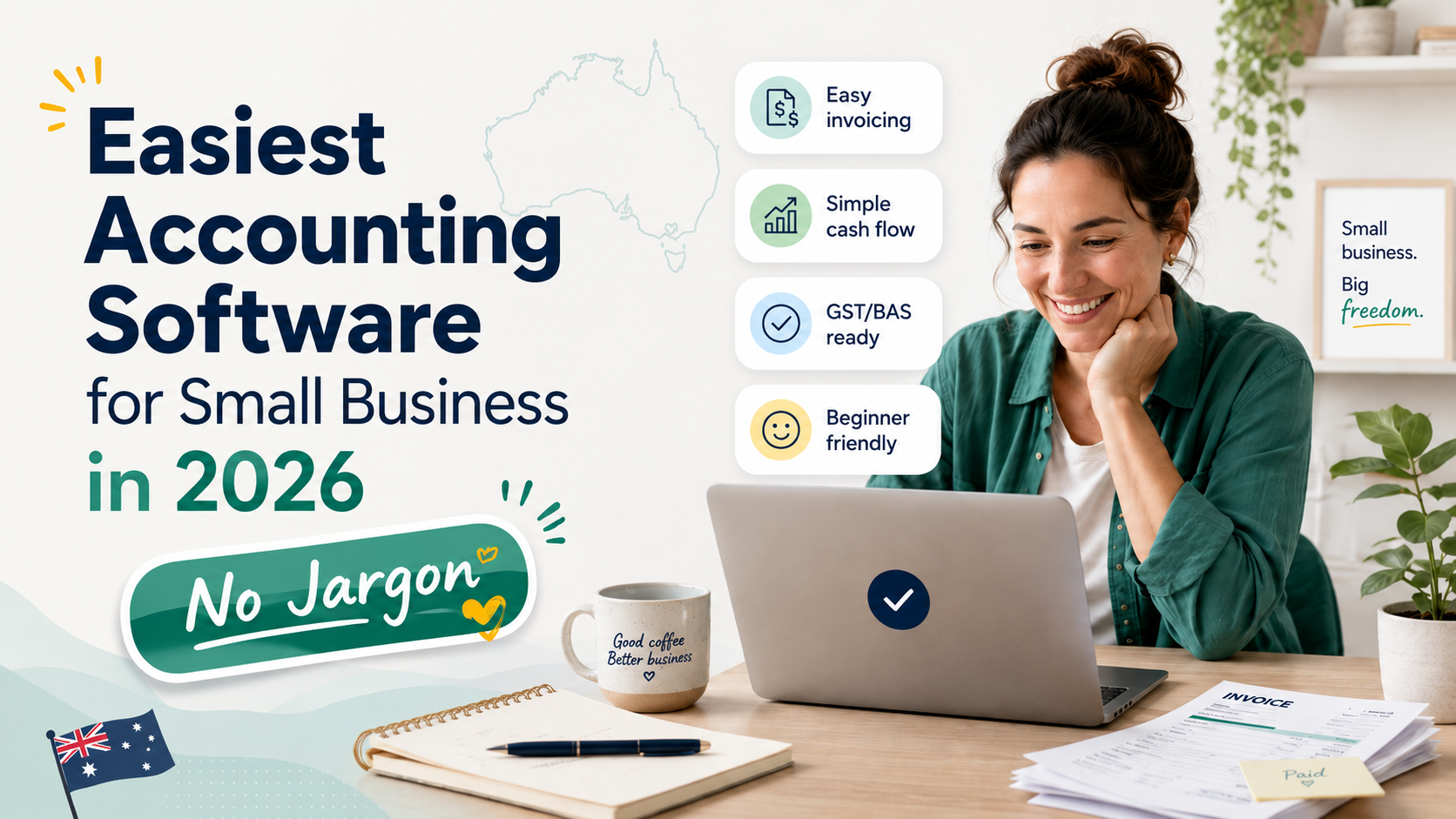
# Easiest Accounting Software for Small Business in 2026 (No Jargon)

Finmark Solutions
May 30, 2026
Most accounting software comparison guides are written by accountants, for accountants. They compare depreciation methodologies and multi-entity consolidation options while completely ignoring what most small business owners actually need to know: is this thing going to make my life easier or harder?
This guide answers a simpler question: which accounting software is genuinely the easiest to use for someone who didn't study accounting and doesn't want to?
**The answer:** Xero. Not by a small margin. The reasons are specific, and we'll get into them. But if you're a business owner who wants clean books without needing to become an accountant, Xero is where you should start.
---
## What "Easy" Actually Means in Accounting Software
"Easy" is vague. Here's what it actually means in practice for a small business owner:
**You can figure out where things are.** The navigation makes sense. You don't need to hunt through sub-menus to find the invoice you just created or the bank statement you're trying to reconcile.
**Common tasks take fewer steps.** Reconciling a bank transaction should be a click or two, not a multi-screen workflow. Sending an invoice should take two minutes, not ten.
**It tells you what you need to do next.** A good dashboard shows you what requires your attention — overdue invoices, unreconciled transactions, upcoming bills — without requiring you to run reports to find out.
**It learns from your behaviour.** If you always categorise coffee shop transactions as "entertainment" and fuel transactions as "motor vehicle expenses," the software should start figuring that out without you having to categorise every transaction manually forever.
**When something goes wrong, you can fix it.** Mistakes happen. Easy software makes it straightforward to find the error and correct it, rather than requiring a journal entry and a phone call to your accountant.
With those criteria in mind, here's how the main platforms compare.
---
## Xero: The Most User-Friendly Accounting Software for Small Business
### Why Xero wins on ease of use
**The dashboard is genuinely useful.** When you log into Xero, the first screen shows you: your current bank balance, money owed to you (invoices outstanding, grouped by how overdue), bills you need to pay, and a short-term cashflow graph. This is the information a business owner actually needs to see each day. It takes maybe 30 seconds to absorb it and know where you stand.
Compare this to some other platforms where the default dashboard is either a blank canvas you have to configure yourself, or a wall of financial terminology that communicates nothing useful without translation.
**Bank reconciliation is fast.** This is the core daily task in bookkeeping, and Xero does it better than anyone. Once your bank feed is connected, transactions import automatically. Xero then suggests matches — a payment you received matches an outstanding invoice, a debit matches a bill you entered. You review and confirm. After a few weeks of use, Xero's matching gets noticeably better as it learns your transaction patterns.
For a business with 100 transactions a month, a skilled user can clear the reconciliation queue in 20–30 minutes. That's genuinely fast.
**Invoicing takes two minutes.** The invoice creation screen is clean. Client name (auto-suggests from your contacts), date, description, quantity, rate, GST setting. Done. You can email it directly from Xero with a payment link. Automatic reminders for overdue invoices take another 60 seconds to configure once, and then they run themselves.
**The mobile app works.** This sounds like a low bar, but it isn't. Many accounting software mobile apps are effectively unusable — stripped-down versions that let you do one or two things. Xero's mobile app lets you photograph receipts (which are automatically attached to transactions), create invoices, check outstanding payments, and approve bills. For a business owner who's rarely at a desk, this is how it should work.
**The learning curve is shallow.** New users typically need 2–3 hours to get oriented in Xero. The basic tasks — reconciliation, invoicing, expense entry — can be done competently within a day. More complex functions (payroll setup, BAS preparation) take longer, but they're also done less frequently and can be handled by your accountant until you're comfortable.
Xero also has a well-maintained library of tutorial videos and help articles, which is genuinely useful when you encounter a task for the first time.
---
## How Other Platforms Compare on Ease of Use
### MYOB: More Capable in Places, Less Intuitive Overall
MYOB Essentials (the cloud product for small business) has improved significantly in recent years, but it's still less intuitive than Xero. The navigation structure requires more familiarity before it becomes natural, the reconciliation workflow requires more steps, and the interface feels more like software that evolved from older desktop conventions rather than something designed for modern web use.
MYOB is not hard to use. Accountants and bookkeepers who work in it regularly are comfortable with it, and plenty of business owners manage their books in MYOB without difficulty. But if you put a non-accountant in front of Xero and MYOB and ask them to complete the same set of tasks, most will find Xero more navigable.
Where MYOB's interface is genuinely better than Xero: the desktop version of AccountRight, for businesses who prefer desktop software, is well-structured and powerful. But for cloud-first small business use, Xero's interface leads.
**Ease of use verdict:** MYOB is adequate; Xero is better.
### QuickBooks Online: Good Interface, Less Suited to Australian Context
QuickBooks Online has a clean, well-designed interface. The navigation is logical, the dashboard is informative, and common tasks are accessible. From a pure usability standpoint, QuickBooks is genuinely competitive with Xero.
The ease of use disadvantage for Australian businesses isn't the interface — it's the compliance workflow. When you're reconciling against Australian BAS requirements, handling GST correctly across different transaction types, or preparing for TPAR, Xero's native Australian implementation requires fewer workarounds and manual steps. The "easy" of QuickBooks' interface is offset by occasional friction in Australian-specific compliance tasks.
For a US-based business, QuickBooks might actually edge out Xero on ease of use. For an Australian business, Xero's compliance integration makes the total experience simpler.
**Ease of use verdict:** QuickBooks has a good interface but adds friction in Australian compliance contexts.
### **Zoho Books: Free, Without the Compliance Compromises**
Zoho Books is a free accounting platform (for businesses under ~$50k AUD annual revenue) that does a genuinely solid job of covering the basics — and doesn't cut corners on the parts that matter most for Australian businesses. The invoicing module is clean and professional, expense tracking is straightforward, and unlike some free tools built primarily for other markets, GST and BAS handling is built in rather than bolted on.
Where Zoho Books holds up well is exactly where budget accounting software often falls short: Australian compliance. GST is tracked properly, and BAS preparation doesn't require the manual workarounds that plague platforms designed primarily for the US or Canadian market. For a business still under the GST threshold — or one that's GST-registered but keeping costs tight — Zoho Books doesn't force a trade-off between "free" and "compliant."
**Ease of use verdict:** Easy for basic invoicing and reasonably capable for Australian GST compliance, without the friction you'd expect from a free tool.
---
## Ease of Use Comparison
| Criteria | Xero | MYOB Essentials | QuickBooks Online | Zoho Books |
| --- | --- | --- | --- | --- |
| **Dashboard clarity** | ⭐⭐⭐⭐⭐ | ⭐⭐⭐ | ⭐⭐⭐⭐ | ⭐⭐⭐⭐ |
| **Bank reconciliation speed** | ⭐⭐⭐⭐⭐ | ⭐⭐⭐ | ⭐⭐⭐⭐ | ⭐⭐⭐ |
| **Invoice creation** | ⭐⭐⭐⭐⭐ | ⭐⭐⭐⭐ | ⭐⭐⭐⭐ | ⭐⭐⭐⭐ |
| **GST/BAS workflow (AU)** | ⭐⭐⭐⭐⭐ | ⭐⭐⭐⭐ | ⭐⭐⭐ | ⭐⭐⭐ |
| **Mobile app usability** | ⭐⭐⭐⭐⭐ | ⭐⭐⭐ | ⭐⭐⭐⭐ | ⭐⭐⭐ |
| **Learning curve** | Low | Moderate | Low–Moderate | Low–Moderate |
| **Error correction** | ⭐⭐⭐⭐⭐ | ⭐⭐⭐ | ⭐⭐⭐⭐ | ⭐⭐⭐ |
| **Help resources** | ⭐⭐⭐⭐⭐ | ⭐⭐⭐⭐ | ⭐⭐⭐⭐ | ⭐⭐⭐ |
| **Automation (transaction matching)** | ⭐⭐⭐⭐⭐ | ⭐⭐⭐ | ⭐⭐⭐⭐ | ⭐⭐⭐ |
| **Overall ease (AU business)** | ⭐⭐⭐⭐⭐ | ⭐⭐⭐ | ⭐⭐⭐ | ⭐⭐⭐ |
---
## The Tasks That Take the Most Time — and How Xero Handles Them
### Bank reconciliation
This is the task most small business owners spend the most time on. In Xero, the workflow is:
1. Transactions import automatically from your connected bank feed
2. Xero suggests matches — "this $450 payment matches the invoice you sent to Client X last week"
3. You click "OK" to confirm the match, or categorise manually if it's a new transaction type
4. After a few months, Xero's auto-suggestions become accurate enough that most transactions are pre-matched when you arrive
The whole process for 100 transactions takes 20–30 minutes for most users once the system is configured.
### BAS preparation
If you're GST-registered, you need to prepare and lodge a BAS quarterly (or monthly, or annually depending on your registration). In Xero:
1. GST is tracked automatically on every transaction once your tax codes are set up
2. At the end of each BAS period, you navigate to the BAS overview screen
3. Xero shows you your G1 (total sales), G2/G3/G7 (various adjustments), and 1A/1B (GST collected/paid)
4. You review the figures for anything unusual, then provide them to your BAS agent or lodge directly
Compare this to compiling BAS from a spreadsheet where you're manually adding columns of GST figures — the time saving is significant.
### Invoice management
Xero's invoice list shows you, at a glance: all invoices, colour-coded by status (draft, awaiting payment, overdue, paid). You can see at a glance what needs following up. Automatic reminders mean you don't have to manually chase most overdue invoices. Payment links on invoices (connected to Stripe, Square, or GoCardless) mean clients can pay immediately rather than doing a bank transfer.
---
## Getting Started with Xero: What to Do in the First Week
If you decide to try Xero, here's how to set yourself up effectively without spending days on configuration:
**Day 1:** Sign up for the free trial. Go through the initial setup wizard — it asks you basic questions about your business type and pre-populates a chart of accounts accordingly. Connect your bank account (takes about 5 minutes via your internet banking login).
**Day 2:** Once your first bank transactions have imported, spend 20 minutes categorising them. Xero will start learning your patterns. Set up your invoice template with your logo and business details.
**Day 3:** Create your first invoice in Xero and send it from the platform. Enable automatic payment reminders (Settings → Email Settings → Invoice Reminders).
**End of week 1:** You should have a connected bank feed, a few days of reconciled transactions, and at least one invoice created and sent. The basics are working.
**First month:** Let the bank feed run and do your reconciliation weekly rather than letting it pile up. By the end of the first month, Xero will have learned your main transaction patterns and auto-matching will start to significantly speed up reconciliation.
---
## Frequently Asked Questions
### What is the easiest accounting software for someone with no accounting experience?
Xero. The dashboard is informative without being overwhelming, the bank reconciliation workflow is the most automated of the major platforms, and the invoice creation process is genuinely quick. The learning curve for basic tasks (reconciliation, invoicing, expense entry) is 2–3 hours. You don't need accounting knowledge to use it effectively.
### Is Xero really simple enough for a non-accountant?
Yes, for the tasks most small business owners actually perform day to day. Bank reconciliation, sending invoices, recording expenses, and preparing for BAS are all designed to be handled by non-accountants. The more complex tasks — adjusting journal entries, complex depreciation, year-end adjustments — are handled by your accountant in the same platform. You don't need to understand those to run your day-to-day bookkeeping.
### How long does it take to learn Xero?
The core tasks most small business owners perform — reconciliation, invoicing, expense tracking — can be done competently within a few hours of starting. Setting up payroll takes longer and usually benefits from a walkthrough with a payroll specialist or accountant. Full comfort with the platform (knowing where everything is, understanding the reports) typically comes after 4–6 weeks of regular use.
### Does Xero have tutorials for beginners?
Yes. Xero Central (support.xero.com) has a comprehensive library of tutorial videos, step-by-step guides, and a searchable help database. For common tasks like setting up bank feeds, creating invoices, and preparing BAS, there are short video tutorials that walk through each step. The resource quality is genuinely good.
### Is MYOB easier than Xero?
For most business owners, no. Xero's interface is more intuitive and the bank reconciliation workflow is faster. MYOB has improved significantly in recent years, but user feedback consistently rates Xero as the more accessible platform for non-accountants. Where MYOB has an edge is in payroll complexity and for users who have worked in MYOB for years and are comfortable with its conventions.
### Can I switch from MYOB to Xero if I find MYOB too complicated?
Yes. Switching between accounting platforms is manageable with some planning. The typical approach is to choose a transition date (start of a new financial year is ideal), migrate your chart of accounts and contacts, and start fresh in Xero from that date — keeping your historical MYOB data for reference. A Xero-certified accountant can manage this transition for you.
---
## The Bottom Line
If you're a small business owner who wants accounting software that's genuinely easy to use — where you can reconcile your bank account, send invoices, and stay on top of BAS without needing accounting training — Xero is the clearest recommendation.
It has the best bank reconciliation automation, the most useful dashboard, and the cleanest interface of any of the major platforms. It's not the cheapest option, but at $35–70 a month, the time it saves relative to more cumbersome alternatives is worth far more than the subscription cost.
The 30-day free trial is the most straightforward way to verify this for yourself. Connect your bank account, process a few weeks of transactions, and see whether it makes your bookkeeping easier. Most people who try it don't switch away.
> **Start your free Xero trial — no credit card required →**
---
*Related reading:*
- *Best Accounting Software for Small Business in Australia (Full Guide)*
- *Xero vs MYOB vs QuickBooks: Australian Comparison*
- *Best Accounting Software for Sole Traders in Australia*
- *Best Cloud Accounting Software for Small Business*
- *Best Accounting Software for Construction and Trade Businesses*
## Share this post
[mailto:https%3A%2F%2Fwww.finmarksolutions.com.au%2Fblog%2Feasiest-accounting-software-small-business-australia](mailto:https%3A%2F%2Fwww.finmarksolutions.com.au%2Fblog%2Feasiest-accounting-software-small-business-australia)
## Keep reading
### [The AI Tools That Actually Move the Needle in Business (And Where They Fall Short)](https://www.finmarksolutions.com.au/blog/the-ai-tools-that-actually-move-the-needle-in-business-and-where-they-fall-short)
### [Best Fee-Free Business Bank Accounts in Australia](https://www.finmarksolutions.com.au/blog/best-fee-free-business-bank-accounts-in-australia)
[](http:///)
- [Home](https://www.finmarksolutions.com.au)
- [Software Recommendations](https://www.finmarksolutions.com.au/finmark-business-software-directory)
- [How-To Guides](https://www.finmarksolutions.com.au/how-to-guides)
- [Tools](https://www.finmarksolutions.com.au/tools)
- [Blog](https://www.finmarksolutions.com.au/blog)
- [About](https://www.finmarksolutions.com.au/author-bio)
---
[Privacy Policy](https://www.finmarksolutions.com.au/privacy-policy) · © 2026 Finmark Solutions. All rights reserved.
Content on this site is for informational purposes only and does not constitute financial, legal, or professional advice. Always consult a qualified professional before making business or financial decisions.
Some links on this website may be affiliate links. Finmark Solutions may earn a commission if you purchase through those links, at no extra cost to you. [Affiliate Disclosure](https://www.finmarksolutions.com.au/affiliate-disclosure)
```json
{
"@context" : "https://schema.org",
"@type" : "BlogPosting",
"author" : {
"@type" : "Person",
"name" : "Finmark Solutions",
"url" : "https://www.finmarksolutions.com.au/blog/author/finmark-solutions"
},
"dateModified" : "2026-07-17T20:34:37.387Z",
"datePublished" : "2026-05-30T11:38:37.000Z",
"headline" : "Easiest Accounting Software for Small Business in 2026 (No Jargon)",
"image" : [ "https://www.finmarksolutions.com.au/hubfs/Easiest%20Accounting%20Software%20for%20small%20businesses%20in%202026-1.png" ],
"mainEntityOfPage" : {
"@id" : "https://www.finmarksolutions.com.au/blog/easiest-accounting-software-small-business-australia",
"@type" : "WebPage"
},
"publisher" : {
"@type" : "Organization",
"logo" : {
"@type" : "ImageObject",
"url" : "https://www.finmarksolutions.com.au/hubfs/Logo_1_Vector.jpg"
},
"name" : "Finmark Solutions"
}
}
```