---
title: "Customer Service Ticketing Software: The Complete Guide for Australian Businesses (2026)"
description: Customer service ticketing software explained for Australian businesses — what it costs, when you need it, and which platform wins. Updated May 2026.
image: https://www.finmarksolutions.com.au/hubfs/Ticketing%20software.png
---
[Skip to content](https://www.finmarksolutions.com.au/blog/customer-service-ticketing-software-the-complete-guide-for-australian-businesses-2026#main-content)
[Homepage](https://www.finmarksolutions.com.au/)
- [Home](https://www.finmarksolutions.com.au)
- [Software Recommendations](https://www.finmarksolutions.com.au/finmark-business-software-directory)
- [How-To Guides](https://www.finmarksolutions.com.au/how-to-guides)
- [Tools](https://www.finmarksolutions.com.au/tools)
- [Blog](https://www.finmarksolutions.com.au/blog)
- [About](https://www.finmarksolutions.com.au/author-bio)
- [Home](https://www.finmarksolutions.com.au)
- [Software Recommendations](https://www.finmarksolutions.com.au/finmark-business-software-directory)
- [How-To Guides](https://www.finmarksolutions.com.au/how-to-guides)
- [Tools](https://www.finmarksolutions.com.au/tools)
- [Blog](https://www.finmarksolutions.com.au/blog)
- [About](https://www.finmarksolutions.com.au/author-bio)
> *What I wish I'd known when starting — so you don't have to figure it out the hard way. 13+ years of business systems, digital marketing, and strategy for project & service businesses, shared.*
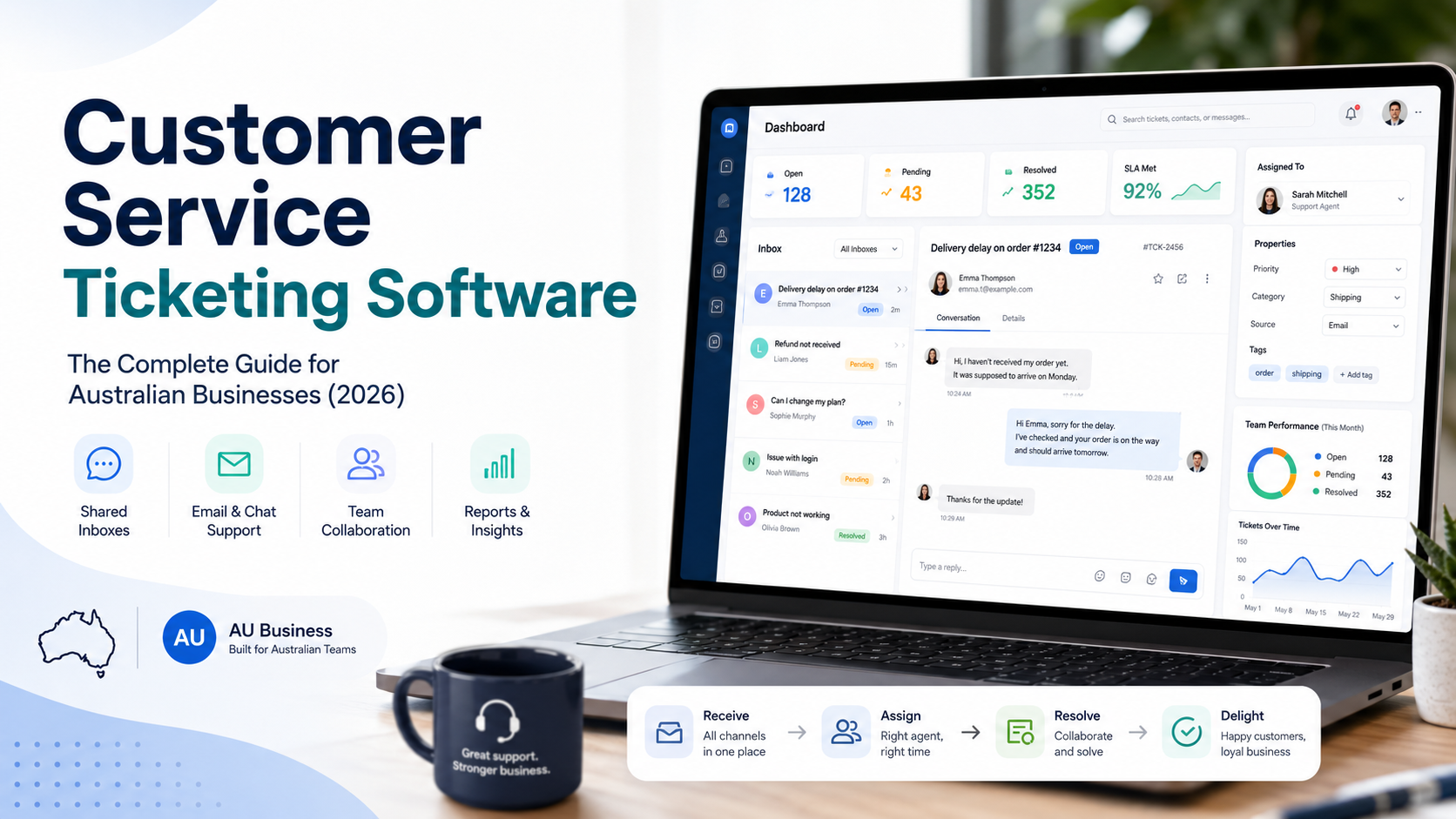
# Customer Service Ticketing Software: The Complete Guide for Australian Businesses (2026)

Finmark Solutions
May 23, 2026
*Last updated: May 2026*
---
You've got a support email address. Enquiries come in. Someone on your team replies. Job done — right?
For a while, yes. But at some point that setup starts costing you customers, time, and credibility — and you don't always notice until the damage is done. This guide covers everything you need to decide whether ticketing software is actually worth it for your business, and if so, exactly which one to use.
---
## What Is Customer Service Ticketing Software, Actually?
A ticketing system converts every inbound enquiry — whether it comes in via email, web form, live chat, or social — into a "ticket": a discrete, trackable item with an owner, a status, and a history.
Instead of a [support@yourcompany.com](mailto:support@yourcompany.com) inbox that looks like a regular email account, you get a structured queue where every request has a clear status (open, pending, resolved), someone assigned to it, and a full conversation thread attached.
The key shift: **from messages you hope someone reads, to work items someone owns**.
---
## Do You Actually Need It? (The Honest Answer)
Most content on this topic is written by companies that sell ticketing software, so naturally they'll tell you that you need it. Here's a more balanced take.
### When a shared inbox or basic email is fine
- You're a solo operator or team of two handling under 20 enquiries per week
- All enquiries come through one channel (email only)
- You don't need to report on response times or team performance
- Customers don't expect acknowledgement receipts or ticket references
- Your business model doesn't depend on fast, consistent support
If that's you, a shared Gmail or Outlook mailbox — or even HubSpot's free Conversations inbox — is genuinely enough. Adding ticketing software on top is unnecessary overhead.
### When you've outgrown email
The signs aren't always dramatic. Watch for:
- **Duplicate replies** — two people respond to the same enquiry with different answers
- **Black holes** — emails get read but no one assumes ownership and it falls through
- **No history** — a customer follows up and nobody can find the original thread
- **Accountability gaps** — you can't tell who resolved what, or how long it took
- **Privacy/persona problems** — replies show a personal name and email address rather than a business identity
- **Volume scaling** — you're bringing on staff to handle support and need to assign work
- **Reporting needs** — you need to track response times, resolution rates, or SLA compliance
The shift typically happens somewhere between 30–100 enquiries per week, or when a second person joins the support function.
### When ticketing software is overkill
- You have one staff member handling support with no plans to scale
- Your "support" is really just sales enquiries that don't require tracking
- You're a freelancer or micro-business and the software cost exceeds the value
- You only need to mask your personal name from replies (a shared inbox solves this)
**Verdict:** If you're a small Australian business receiving fewer than 30 support requests a week and operating solo, start with HubSpot Conversations free or a shared Gmail inbox. Graduate to proper ticketing when volume or team size demands it.
---
## Key Features to Understand Before You Shop
Before comparing platforms, know what you're comparing:
**Ticket management** — The core. Converts inbound messages to trackable items, assigns them to agents, and tracks their status through to resolution.
**Shared inbox / team email** — A support@ address that multiple agents can work from, with the replies sent as the business rather than an individual.
**Automation / routing** — Rules that auto-assign, auto-tag, or auto-reply based on keywords, sender, or source. Saves significant manual work at volume.
**SLA management** — Service Level Agreements: rules that define how quickly tickets must be responded to and resolved. Typically a paid feature.
**Collision detection** — Alerts agents when two people are working the same ticket simultaneously. Prevents embarrassing double-responses.
**Knowledge base** — A self-service FAQ/help centre customers can search before contacting you. Reduces inbound volume.
**Reporting & dashboards** — Response time, resolution time, volume by channel, agent performance. Essential for managing a support team.
**Multi-channel** — Consolidating email, chat, social media, and web forms into one queue. More complex to set up but eliminates channel-switching.
**CSAT surveys** — Automated customer satisfaction surveys sent after ticket resolution.
---
## Platform Comparisons: The Ones Worth Your Time
The Australian market has access to all the major global platforms. The realistic shortlist for businesses under 50 staff is: **Freshdesk, Zoho Desk, HubSpot Service Hub, Help Scout, Zendesk, and Intercom**. There are others — Kayako, Groove, Front — but they occupy narrower niches.
Here's how they actually stack up.
---
### 1. Freshdesk
**Best for: Small to mid-sized businesses wanting a capable free tier and room to grow**
Freshdesk is the most popular entry point for small businesses globally, and for good reason. It has one of the strongest free tiers in the category, an intuitive interface, and a clean upgrade path.
**Free plan:** Up to 2 agents. Covers basic ticketing, email support, a knowledge base, and pre-built reports. No time limit, though some sources indicate the full feature set is available for 6 months before trimming back to a reduced free tier — verify directly. Good enough for a solo operator or micro-team.
**Paid plans (per agent/month, billed annually):**
- Growth: ~$45 AUD
- Pro: ~$120 AUD
- Enterprise: ~$180 AUD
**What you get on Growth that you don't on free:** Automations, SLA management, collision detection, marketplace integrations, time tracking.
**What's good:**
- Genuinely usable free plan
- Clean, intuitive UI — low training overhead
- Strong automation on paid tiers
- Huge marketplace of integrations
- Freddy AI (paid add-on) handles triage, translation, and suggested replies
**What's not:**
- Free tier lacks automation — which is where the real time saving is
- AI features (Freddy) come with "bot session" credits that can add unexpected cost
- Spam filtering in email management has been criticised in user reviews
- The Freshworks ecosystem is fragmented — Freshdesk, Freshchat, and Freshcaller are separate products that require additional cost to unify under Freshdesk Omni
**Australian considerations:** Freshdesk has Australian customers and AUD billing available. Support is not based in Australia but is generally responsive. GDPR-compliant; Australian Privacy Act compliance is your responsibility to configure.
**Verdict:** The default recommendation for small Australian businesses moving off email for the first time. Start free, upgrade when automation becomes necessary.
---
### 2. Zoho Desk
**Best for: Businesses already in the Zoho ecosystem, or those wanting the best value-for-money paid tier**
Zoho Desk offers a free plan for up to 3 agents (vs Freshdesk's 2), and its paid plans are meaningfully cheaper than Freshdesk at equivalent feature levels. It serves over 33 million users daily and has a strong reputation for value.
**Free plan:** 3 agents. Basic ticketing and email support.
**Paid plans (per agent/month, billed annually):**
- Express: ~$10 AUD
- Standard: ~$20 AUD
- Professional: ~$32 AUD
- Enterprise: ~$56 AUD
**What's good:**
- Best price-per-feature ratio in the category at the paid tier
- Deep integration with the broader Zoho suite (CRM, Books, Projects) — if you're already on Zoho, this is the obvious choice
- Solid automation, multi-department ticketing, and telephony at the Professional tier
- Higher user ratings than Freshdesk on Capterra (4.5 vs 4.4 aggregate)
**What's not:**
- Interface can feel dated compared to Freshdesk and Help Scout
- Integrations outside the Zoho ecosystem are limited — weaker for HubSpot, Salesforce, or Slack-centric businesses
- Zia AI assistant only available at Professional tier and above
- Setup complexity is higher than Freshdesk
**Australian considerations:** Zoho has a significant Australian presence including local data centres. Australian businesses running Zoho Books or Zoho CRM should strongly consider Zoho Desk for native integration.
**Verdict:** Best value paid plan in the category. If you're Zoho-native or price-sensitive, this beats Freshdesk on cost. If you're not in the Zoho ecosystem and want a cleaner setup experience, Freshdesk edges it.
---
### 3. HubSpot Service Hub
**Best for: Businesses already using HubSpot CRM, Marketing Hub, or Sales Hub**
HubSpot Service Hub is not a standalone ticketing system — it's a customer service layer sitting on top of HubSpot's CRM. The implication: every ticket comes with full context about who the customer is, their history with your marketing and sales teams, and where they are in the customer lifecycle.
**Free plan:** Up to 2 users. Basic ticketing, shared inbox, live chat, and help desk essentials.
**Paid plans (per seat/month, billed annually):**
- Starter: ~$21 AUD
- Professional: ~$140 AUD (includes mandatory ~$2,100 AUD onboarding fee)
- Enterprise: ~$210 AUD (includes mandatory ~$4,900 AUD onboarding fee)
**What's good:**
- Best CRM integration in the category — if you use HubSpot, this is seamless
- Full customer context visible on every ticket (deal stage, last marketing email, sales activity)
- Clean, modern UI
- Free tier is functional for very small teams
- Breeze AI works across the entire CRM platform, not just support
**What's not:**
- The Professional tier jumps sharply to $100/seat — there's a big gap between Starter and Pro
- Mandatory onboarding fees at Professional ($1,500) and Enterprise ($3,500) make it expensive to trial
- If you're *not* on HubSpot CRM, you lose most of the differentiation — other tools beat it on pure support functionality at the same price
- Features that Freshdesk includes at the Growth tier (automation, SLA) require HubSpot Professional
**Australian considerations:** HubSpot has an Australian office and strong local presence. Pricing is in USD. Some Australian affiliates and resellers can assist with onboarding.
**Verdict:** Excellent if you're already in the HubSpot ecosystem — the CRM context is genuinely useful. Poor value if you're not, given the feature-price ratio at the Professional tier.
---
### 4. Help Scout
**Best for: Service-focused teams that want a clean, human experience — not a ticket number factory**
Help Scout takes a different philosophical approach. Rather than treating customer interactions as tickets, it maintains a conversational format that feels more like a team email interface. Customers never see a ticket number — they get a reply that feels personal.
**Free plan:** None.
**Paid plans (per user/month, billed annually):**
- Standard: ~$31 AUD
- Plus: ~$62 AUD
- Pro: Custom pricing
**What's good:**
- Clean, minimal interface — very fast to learn
- Knowledge base, in-app messaging, and CSAT surveys included on all paid plans (Freshdesk gates these behind Pro)
- Conversational tone — good for businesses where relationship matters more than throughput
- More than 12,000 businesses use the platform; teams reportedly respond to significantly more customer messages in their first year
- Strong customer for SMBs in services, SaaS, and professional services
**What's not:**
- No free tier — you're paying from day one
- Less powerful automation than Freshdesk or Zoho Desk at the same price
- Not designed for high-volume, structured ticketing workflows
- Limited multi-channel capability compared to enterprise tools
**Australian considerations:** No local presence, but serves Australian businesses without issue. USD pricing.
**Verdict:** Strong choice for businesses where support is relationship-driven — consulting, professional services, agencies. Not the right fit for high-volume, process-heavy support environments.
---
### 5. Zendesk
**Best for: Mid-market to enterprise businesses that need a fully-featured, battle-tested platform**
Zendesk is the category leader by market share and brand recognition. It's the benchmark against which others are measured. It's also the most expensive option on this list and has no free tier.
**Paid plans (per agent/month, billed annually):**
- Suite Team: ~$77 AUD
- Suite Growth: ~$125 AUD
- Suite Professional: ~$161 AUD
- Suite Enterprise: Custom
**What's good:**
- Deepest feature set in the category
- Extremely reliable — the industry standard for uptime and scalability
- Best-in-class reporting and analytics
- Strong ecosystem of integrations
- Handles high volume and complex workflows better than any competitor
**What's not:**
- No free tier — dropped years ago, minimum commitment starts at $55/agent/month
- Price escalates quickly, especially with multiple agents
- Complexity overkill for small teams
- Some users report the interface has become cluttered as features have been added
- AI features are improving but remain expensive relative to alternatives
**Australian considerations:** Zendesk has an Australian office in Sydney. Well-suited for ASX-listed companies, larger retailers, and businesses with compliance requirements. Overkill for most businesses under 50 staff.
**Verdict:** Only consider Zendesk if you have genuine enterprise complexity, significant ticket volume, or a budget to match. For most small and medium Australian businesses, Freshdesk or Zoho Desk offer 90% of the capability at a fraction of the price.
---
### 6. Intercom
**Best for: SaaS products and digitally-native businesses that want proactive, AI-first support**
Intercom is a different beast. It's less a ticketing system and more a full customer communications platform — covering support, onboarding, product tours, and proactive outreach. Its AI agent (Fin) can resolve customer queries autonomously.
**Pricing:** Starts around $41 AUD/seat/month but escalates quickly with usage-based components. Not transparent — requires contacting sales for accurate quotes at most tiers.
**What's good:**
- Fin AI resolves real customer requests autonomously, not just auto-replies
- Best-in-class in-product messaging and onboarding flows
- Proactive customer engagement features no other platform matches
**What's not:**
- Expensive and difficult to predict total cost (usage-based billing)
- Excessive for businesses without a digital product or app
- Overkill for traditional support ticketing use cases
**Verdict:** Purpose-built for SaaS and digital product companies. Not relevant for most traditional Australian businesses. Skip unless you have an app or digital product where in-product communication is central.
---
## Head-to-Head: Which Platform Wins by Use Case
| Situation | Recommended Platform |
| --- | --- |
| Solo operator | HubSpot Conversations (free) |
| Small team, just migrating off email | Freshdesk (free tier) |
| Already using Zoho CRM or Books | Zoho Desk |
| Already using HubSpot CRM | HubSpot Service Hub |
| Relationship-driven services business | Help Scout |
| High volume, large team, budget available | Zendesk |
| SaaS / digital product company | Intercom |
| Price is the primary constraint | Zoho Desk (paid) |
---
## Free Tier Comparison at a Glance
| Platform | Free Tier | Agent Limit | Key Free Limitations |
| --- | --- | --- | --- |
| Freshdesk | Yes | 2 agents | No automation, no SLA, no integrations |
| Zoho Desk | Yes | 3 agents | Basic features only |
| HubSpot Service Hub | Yes | 2 seats | No automation, basic routing |
| Help Scout | No | — | Paid from day one |
| Zendesk | No | — | Paid from day one |
| Intercom | No | — | Paid from day one |
---
## Pricing Reality Check
All platforms advertise per-agent-per-month pricing, but the real cost is often higher. Watch for:
- **Annual billing requirements** for advertised discounts — monthly billing typically adds ~20%
- **AI add-ons** sold separately (Freshdesk's Freddy, Zendesk's AI suite)
- **Onboarding fees** — HubSpot Professional mandates $1,500; Enterprise mandates $3,500
- **Bot session credits** — used up faster than expected with AI features enabled
- **Omnichannel upgrades** — adding chat, SMS, or social media support often means a higher product tier or separate product entirely
- **Per-contact pricing** — some tools (HubSpot, Intercom) add costs based on contact database size
**Rule of thumb:** Whatever the listed price, budget 25–40% more for a realistic total cost once you factor in the features you'll actually need.
---
## The Australian-Specific Considerations
A few things matter more in the Australian context:
**Data sovereignty:** If your business handles sensitive customer data and needs it stored in Australia, check each vendor's data residency options. Zoho has Australian data centres. HubSpot has an Australian option. Freshdesk and Zendesk offer regional hosting but verify current availability for AU-specific storage.
**AUD billing:** Most platforms bill in USD. Zoho and HubSpot offer AUD billing for Australian accounts — worth confirming before committing, as AUD/USD fluctuations affect your actual cost.
**GST:** B2B SaaS subscriptions purchased from overseas vendors are subject to GST if the vendor is GST-registered in Australia (most major platforms are). Your accountant will need a valid tax invoice — check that the vendor can provide one.
**Local support:** Zendesk and HubSpot have Australian offices. For the others, support is primarily offshore (US/India time zones), which matters if you have an urgent setup issue during Australian business hours.
---
## Our Recommendation for Most Australian Small Businesses
**Start:** HubSpot Conversations (free) if you just need to manage inbound enquiries from a single support address. Five-minute setup, no cost.
**First proper ticketing platform:** Freshdesk free tier. Covers the basics, gives you room to grow, and you can upgrade to Growth (~$45 AUD/agent/month) once you need automation and SLA management.
**If you're price-sensitive and scaling:** Zoho Desk. Better value at the paid tiers than Freshdesk, particularly for teams of 3+ agents.
**If you're HubSpot-native:** HubSpot Service Hub. Don't bring in a separate tool when your CRM already has this.
**If relationship matters more than throughput:** Help Scout. Worth paying the entry price for the quality of the customer experience.
---
*Pricing verified May 2026. USD prices converted to AUD at approximately $1 USD = $1.40 AUD (mid-market rate, May 2026) — actual charges may vary with exchange rate fluctuations. Verify current plans and AUD pricing directly with each vendor before committing.*
## Share this post
[mailto:https%3A%2F%2Fwww.finmarksolutions.com.au%2Fblog%2Fcustomer-service-ticketing-software-the-complete-guide-for-australian-businesses-2026](mailto:https%3A%2F%2Fwww.finmarksolutions.com.au%2Fblog%2Fcustomer-service-ticketing-software-the-complete-guide-for-australian-businesses-2026)
## Keep reading
### [The AI Tools That Actually Move the Needle in Business (And Where They Fall Short)](https://www.finmarksolutions.com.au/blog/the-ai-tools-that-actually-move-the-needle-in-business-and-where-they-fall-short)
### [Best Fee-Free Business Bank Accounts in Australia](https://www.finmarksolutions.com.au/blog/best-fee-free-business-bank-accounts-in-australia)
[](http:///)
- [Home](https://www.finmarksolutions.com.au)
- [Software Recommendations](https://www.finmarksolutions.com.au/finmark-business-software-directory)
- [How-To Guides](https://www.finmarksolutions.com.au/how-to-guides)
- [Tools](https://www.finmarksolutions.com.au/tools)
- [Blog](https://www.finmarksolutions.com.au/blog)
- [About](https://www.finmarksolutions.com.au/author-bio)
---
[Privacy Policy](https://www.finmarksolutions.com.au/privacy-policy) · © 2026 Finmark Solutions. All rights reserved.
Content on this site is for informational purposes only and does not constitute financial, legal, or professional advice. Always consult a qualified professional before making business or financial decisions.
Some links on this website may be affiliate links. Finmark Solutions may earn a commission if you purchase through those links, at no extra cost to you. [Affiliate Disclosure](https://www.finmarksolutions.com.au/affiliate-disclosure)
```json
{
"@context" : "https://schema.org",
"@type" : "BlogPosting",
"author" : {
"@type" : "Person",
"name" : "Finmark Solutions",
"url" : "https://www.finmarksolutions.com.au/blog/author/finmark-solutions"
},
"dateModified" : "2026-05-23T09:17:19.116Z",
"datePublished" : "2026-05-23T09:10:54.000Z",
"headline" : "Customer Service Ticketing Software: The Complete Guide for Australian Businesses (2026)",
"image" : [ "https://www.finmarksolutions.com.au/hubfs/Ticketing%20software.png" ],
"mainEntityOfPage" : {
"@id" : "https://www.finmarksolutions.com.au/blog/customer-service-ticketing-software-the-complete-guide-for-australian-businesses-2026",
"@type" : "WebPage"
},
"publisher" : {
"@type" : "Organization",
"logo" : {
"@type" : "ImageObject",
"url" : "https://www.finmarksolutions.com.au/hubfs/Logo_1_Vector.jpg"
},
"name" : "Finmark Solutions"
}
}
```